
Download Ask Toolbar Remover – free Windows tool to delete unwanted toolbars
Overview
Ask Toolbar Remover is a lightweight, free utility designed specifically for Windows users who need to clean their browsers of the intrusive Ask.com toolbar. First introduced in 2012 and still maintained by its original developer, Matthew McMullan, the program targets the “Browser tools” sub‑category and focuses on a single, well‑defined job: locate and eliminate remnants of the Ask toolbar from Internet Explorer, Chrome, Firefox, and other supported browsers. With over 20,000 downloads since its catalog entry and a modest but steady stream of recent installs, the tool has proven its relevance, especially in regions such as Germany and Canada where the Ask toolbar once enjoyed a sizable market share.
The current version, 1.3, was last updated on June 17, 2012, which means the software is stable, free of unnecessary bloat, and runs comfortably on older Windows platforms including Windows XP and earlier releases. Because it does not bundle adware or additional components, the installer is under 5 MB, making it an ideal choice for users who need a quick, secure fix without sacrificing system performance. Whether you are a home user frustrated by persistent “Ask” prompts or an IT administrator tasked with cleaning multiple workstations, Ask Toolbar Remover offers a focused, no‑frills solution that can be deployed in minutes.
Key Features
- Automatic detection of Ask toolbar files: Scans registry entries, program folders, and browser extensions to locate every piece of the toolbar.
- One‑click removal: A single “Remove” button eliminates all detected components, reducing the need for manual registry editing.
- Support for multiple browsers: Works with Internet Explorer, Mozilla Firefox, Google Chrome, and Opera, ensuring comprehensive cleanup.
- Lightweight footprint: The installer is less than 5 MB and requires minimal RAM, making it safe for older machines.
- Secure execution: No additional software, toolbars, or adware are bundled; the program runs with standard user privileges and does not alter system files beyond what is necessary for removal.
- English‑only interface: Clear, straightforward language guides users through each step without confusion.
- Free of charge: Completely free to download and use, with no hidden fees or premium upgrades.
- Portable version (optional): Advanced users can copy the executable to a USB drive and run it on any compatible Windows PC without installation.
Each feature has been crafted to address the most common pain points reported by users who have struggled with the Ask toolbar’s stubborn persistence. The automatic detection algorithm checks both 32‑bit and 64‑bit registry hives, which is essential for machines running older Windows editions. By focusing on a single purpose, the software avoids feature creep and maintains a clean, user‑friendly interface that even non‑technical users can navigate with confidence. Because it is free and open to all Windows versions, Ask Toolbar Remover also serves as a valuable educational tool for those learning how browser extensions interact with the operating system.
Installation, Usage & Compatibility
Step‑by‑step installation
1. Download the installer: Click the “Download” button on the official page to retrieve the AskToolbarRemover_v1.3.exe file. The download is served over HTTPS, ensuring a secure transfer.
2.
Run the executable: Double‑click the file. Windows may display a standard User Account Control (UAC) prompt; confirm to allow the program to run.
3. Accept the license: A brief EULA appears.
Click “I Agree” to continue.
4. Choose installation folder (optional): The default location is C:\Program Files\AskToolbarRemover. You can keep the default or select another directory.
5.
Finish the wizard: Click “Install” and wait a few seconds while the files are copied. The installer finishes with a “Launch Ask Toolbar Remover” checkbox—leave it checked to start the program immediately.
How to use the tool
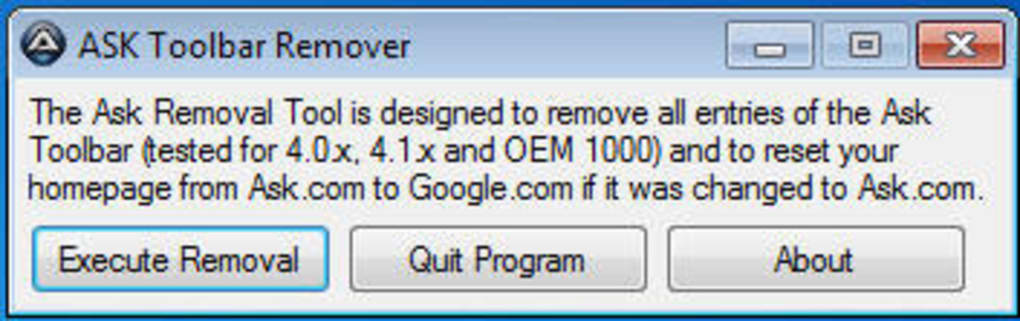
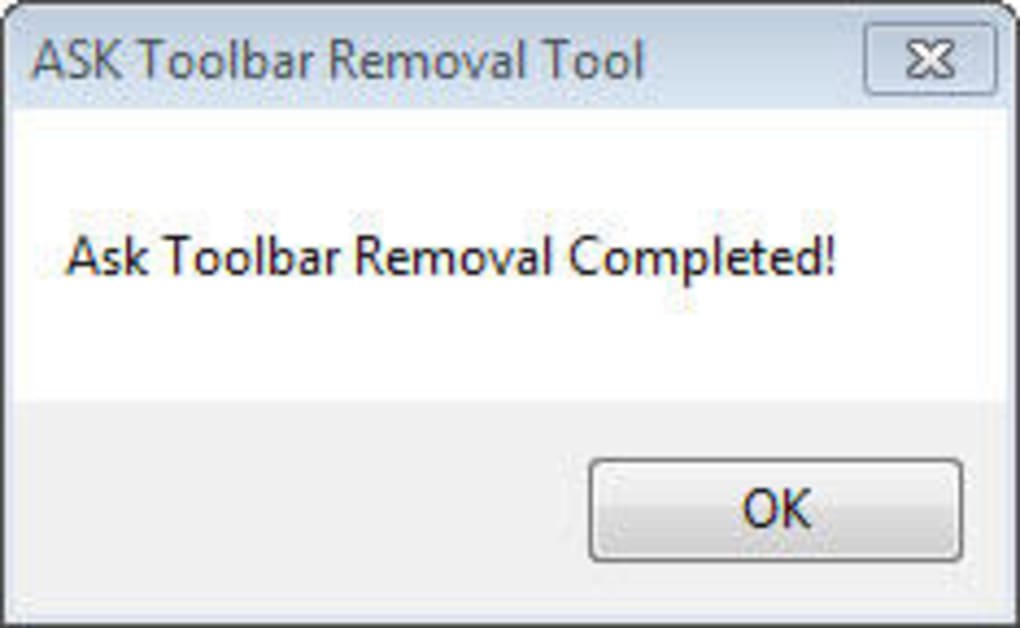
Upon launching, the main window displays a brief overview and a “Scan” button. Pressing “Scan” initiates a quick search of the system; results appear in a list showing each detected component (registry key, extension file, or startup entry). Review the list to confirm what will be removed, then click the bright “Remove” button. A progress bar shows the operation, and a final dialog confirms successful removal. For added safety, the program creates a temporary backup of edited registry keys, which can be restored manually if needed.
Compatibility: Ask Toolbar Remover is built for Windows XP, Windows Vista, Windows 7, and earlier versions. It runs on both 32‑bit and 64‑bit architectures. While the software is not officially listed for Windows 8, 10, or 11, many users have reported that it still works in compatibility mode. No support is provided for macOS, Linux, Android, or iOS because the toolbar in question is Windows‑only.
Pros, Cons & Frequently Asked Questions
Pros
- Free and completely safe—no hidden fees or bundled adware.
- Specialized focus on Ask toolbar removal guarantees high success rates.
- Lightweight installer, ideal for older PCs with limited resources.
- One‑click operation simplifies the process for non‑technical users.
- Supports multiple browsers, covering most common use cases.
Cons
- Last updated in 2012, so no official support for newer Windows versions.
- English‑only interface may limit accessibility for non‑English speakers.
- Lacks additional features such as bulk cleaning of other unwanted extensions.
- No automatic update mechanism; users must manually check for newer releases.
Frequently Asked Questions
Is Ask Toolbar Remover safe to use on a Windows XP machine?
Yes. The program was originally built for Windows XP and earlier versions. It runs with standard user privileges and creates temporary backups of any registry changes, allowing you to revert if needed.
Can the tool remove the Ask toolbar from Chrome as well as Internet Explorer?
Absolutely. Ask Toolbar Remover scans the extension directories of Chrome, Firefox, and Opera in addition to Internet Explorer’s add‑on registry entries, ensuring a thorough cleanup across all major browsers.
Do I need an internet connection to use the program?
No. After you download the installer, the program works entirely offline. This is useful for cleaning machines that are not connected to the internet.
Will the removal process affect my personal bookmarks or saved passwords?
No. Ask Toolbar Remover only targets files and registry keys associated with the Ask toolbar. Your browsing data, bookmarks, and saved passwords remain untouched.
Is there a portable version for use on USB drives?
Yes. Advanced users can copy the executable to a USB stick and run it on any compatible Windows PC without performing a full installation, which is handy for technicians who service multiple computers.
Conclusion & Call to Action
If you have been battling the persistent Ask toolbar on any Windows machine, Ask Toolbar Remover offers a focused, free, and secure solution that does exactly what you need—identify and delete every trace of the unwanted extension with a single click. Its lightweight design, multi‑browser support, and offline capability make it especially valuable for older PCs and corporate environments where software bloat is a concern. While the lack of recent updates means it may not officially support the newest Windows releases, the tool still functions reliably on most systems when run in compatibility mode. For users seeking an all‑in‑one suite of browser cleaning utilities, you may need to supplement it with other tools, but for the specific problem of the Ask toolbar, this program remains unmatched in simplicity and effectiveness.
Ready to reclaim a clean browsing experience? Click the download button below to get the latest version of Ask Toolbar Remover, run the installer, and enjoy an ad‑free, faster web session today.
Download Ask Toolbar Remover (Free)






